
We've limited image file sizes to ensure faster deliverability, better compatibility across carriers and devices, and a smoother experience for your customers. By compressing your images and keeping them under the recommended file size, you can set your campaigns up for the best possible results.
This article walks you through compressing your images with a free online tool, and covers the benefits of using smaller images in your campaigns.
In this article:
Step-by-step guide to compressing an image
For this guide, we'll use TinyPNG — an easy-to-use tool that compresses images quickly and efficiently.
Step 1: Upload your image
Go to TinyPNG and either drag and drop your image into the box on the homepage, or click the box to choose a file from your computer. Compression starts automatically.
Step 2: Download your image
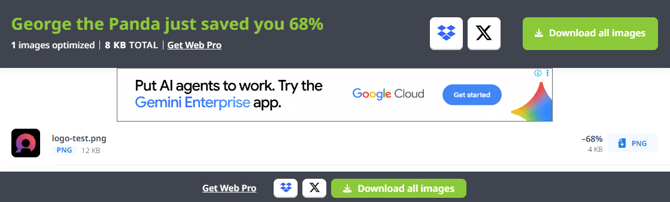
Just below the drop area, a progress bar appears while your image is compressed. Once it's done, you can download your new, smaller image (see the screenshot below).
Step 3: Upload the compressed image to Mobiz
With your compressed image ready, upload it to your Mobiz account to use in your landing page campaigns or MMS messages.
Benefits of smaller images
- Faster deliverability — Smaller files send faster, so your customers receive your messages quickly and reliably.
- Better compatibility — Some carriers have specific file-size limits for MMS. Keeping your images small ensures better compatibility across different carriers and devices.
- Reduced data usage — Smaller images use less data, which helps customers on limited or pay-as-you-go data plans.
- Improved user experience — Smaller images load faster on mobile devices, for a better overall experience.
Other tools you can use
TinyPNG isn't your only option. Other free image compressors include: